
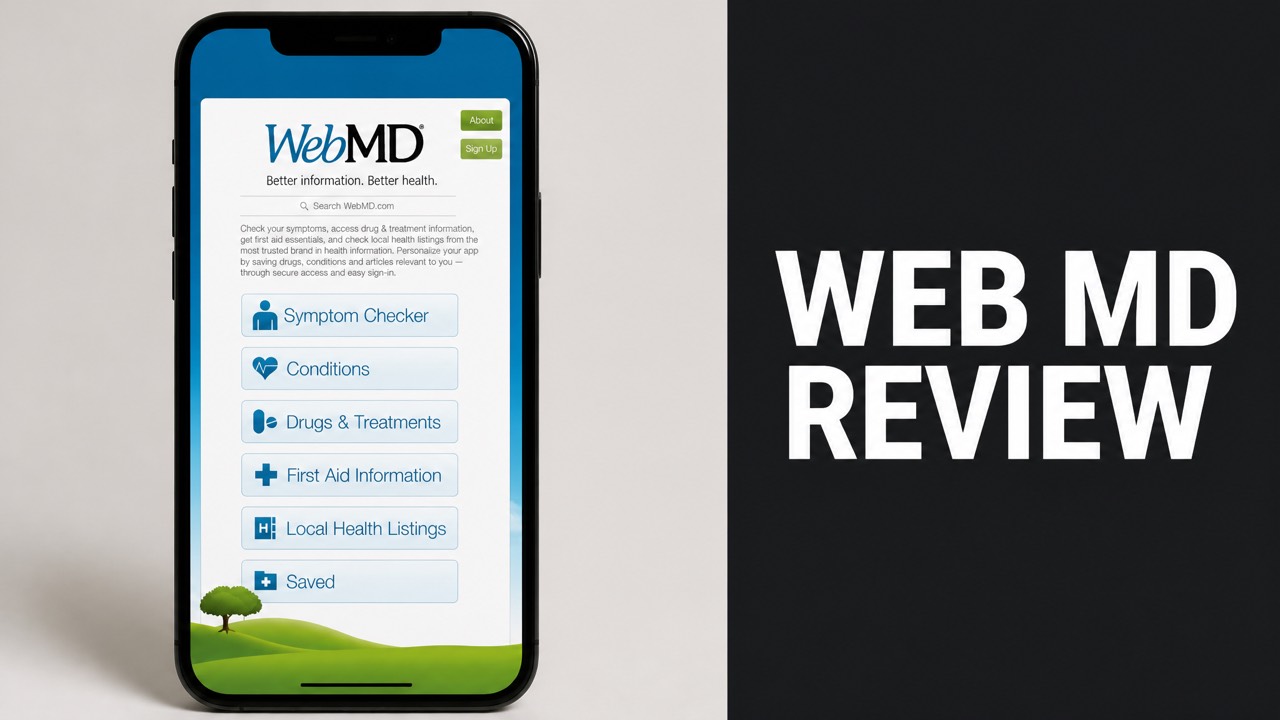
WebMD is a free online health service with a symptom checker, doctor finder and drug tools. Millions of people use the website and mobile app for everyday health questions. This web md review tests what the service does well and where it falls short for real users, from casual readers to heavy app users.
Our team looked at how the symptom checker works, how accurate it is, and what users say about it. WebMD scores 4.3 stars on Google Play from 64,500 reviews. A 2020 study found the right diagnosis in its top three results 77 percent of the time. Ads and thin next steps draw the most criticism from reviewers. Free access remains the biggest draw overall.
Our experts also compared WebMD with Ada, Symptomate and Mayo Clinic. Then we covered safety, cost and account needs. By the end, you will know whether the WebMD app earns a place on your phone. You will also know when a doctor is the better call for your symptoms. Read on for the full verdict.
What Is WebMD?
WebMD is a free online health service with a symptom checker, condition guides and a doctor finder. The brand runs a website and a mobile app for iPhone and Android. The Android app passed 10 million downloads on Google Play. That figure shows how many people turn to it for everyday health questions and drug information. Our team checks it closely.
In plain English: WebMD works as a reference library first and a tool second. Users search a symptom, read a medically reviewed condition page, and look up a drug. Its 2018 redesign tripled the symptoms and conditions the checker covers. Why did the company rebuild it? A 2015 BMJ study had questioned the accuracy of symptom checkers.
What Does the WebMD App Include?
The WebMD app bundles a symptom checker, doctor finder, reminders, condition guides and a drug checker in one free download. Users can also track symptoms over time. The app supports English and Spanish. The iPhone version needs iOS 15.0 or later, and the app runs on iPad too. Each tool sits one tap away. Our team checks these details closely. Good to know.
Key App Features:
- Symptom checker with a body map
- Doctor finder by location, city, state or zip
- Medication reminders with pill images
- Drug interaction checker
- Symptom tracker
- WebMD Rx prescription savings
Here is the kicker: the app also carries WebMD Rx. Partner pharmacy chains supply the prices, and the App Store listing claims savings of up to 80 percent. Does the discount beat insurance? The Google Play listing says it often beats co-pays.
How Does WebMD Work?
WebMD works as a guided symptom checker that matches entered symptoms to a ranked list of possible conditions. Users pick a body area on an avatar and choose symptoms from a dropdown. A clinical decision support engine sits behind the tool. Physicians use the professional-grade version of that engine at the point of care. Our coaches track the same facts.
To be clear, the consumer version is not a diagnostic tool. WebMD mapped clinical terms into everyday language so millions of users can read the results. So the list works as general guidance. And that is exactly how the company describes it.
How Does the WebMD Symptom Checker Work?
The checker starts with age and gender, then narrows the problem through body area and symptom choices. Follow-up questions cover the most bothersome symptom, current medications and past conditions. The tool then returns a list of possible conditions. Readers open each one for treatment details, statistics and related symptoms. Our experts back this up.
How the Checker Works:
- Enter your age and gender.
- Select the body area on the avatar.
- Choose symptoms from the dropdown.
- Answer follow-up questions about medications and past conditions.
- Review the ranked list of possible conditions.
- Open a condition to read treatment options and statistics.
The Medical Futurist team tested WebMD against Mayo Clinic, Symptomate and Ada. Their finding: the WebMD flow has twice as many steps as the Mayo Clinic checker. What does that mean? More questions give the engine more detail to work with.
How Accurate Is WebMD?
WebMD lists the correct diagnosis in its top three suggestions in 77 percent of cases. A 2020 Medical Journal of Australia study found that result. The figure is respectable for a free service. But a top-three match is not a confirmed diagnosis. The company states that the tool serves informational purposes only. Our experts agree. Plenty of users agree.
Think of it this way: the checker offers leads, not answers. A user who gets a long list still needs a clinician to narrow it. Does a free tool replace that visit? No. The checker prepares the visit.
What Did Studies Find About WebMD Accuracy?
The 2015 BMJ study evaluated several symptom checkers and pushed WebMD to rebuild its tool. WebMD cited that article as a major reason for the 2018 redesign. The new version added three times more symptoms and conditions than the old one. The company also moved to a professional-grade diagnostic engine. Details like these separate good tools from weak ones.
WebMD Accuracy Evidence:
| Source | Finding |
|---|---|
| Medical Journal of Australia, 2020 | Correct diagnosis in the top three suggestions in 77% of cases |
| BMJ, 2015 | Study of symptom checker accuracy that prompted the redesign |
| WebMD redesign, 2018 | Three times more symptoms and conditions |
| Dialzara review | Accurate diagnosis in under a minute |
The 2020 figure of 77 percent applies to the top three suggestions only. Is the first result right 77 percent of the time? No. Readers treat the full list as leads to discuss with a doctor.
A Dialzara review also found that the tool delivers an accurate diagnosis in under a minute. Speed is the real selling point. And a likelihood indicator beside each result makes the list easy to scan.
What Do WebMD Reviews Say?
WebMD earns strong app store ratings alongside steady criticism about ads and shallow next steps. The Google Play listing shows 4.3 stars from 64,500 reviews. That listing carries a ‘Contains ads’ label. The App Store also marks the app as containing advertising. Ratings stay high despite the ad load. Reviewers rate it high anyway. Plenty of users agree.
So where does the praise come from? Free access, a wide database and a simple flow. And where does the criticism come from? Ads and limited guidance after the results appear.
What Do Users Like About WebMD?
Reviewers praise the interactive body map, the free access and the large database of conditions. Docus lists a user-friendly six-step process and the option to enter multiple symptoms. The tool also needs no account. The missing login lowers the barrier for a quick check, and the extra health content adds depth. Our coaches like it too. Our coaches track the same facts.
WebMD Review Summary:
| Area | Verdict |
|---|---|
| Cost | Free to use |
| Interface | Body map and a six-step flow |
| Ads | Disrupt the experience |
| Language input | No natural language option |
| Next steps | Limited suggestions after results |
In fact, the extra health content adds value. Articles on conditions and healthy living sit one tap away from the checker. That bundle keeps readers inside one app instead of sending them across several sites.
What Are the Common WebMD Complaints?
Critics point to disruptive ads, missing natural language input and limited next-step advice. Docus notes that users cannot describe symptoms in their own words. Results also run long and detailed. Some readers feel overwhelmed by the volume of conditions. The advice after the list stays thin. These flaws appear often in comments. Plenty of users agree.
The bad news? Ads sit inside the experience on both Android and iPhone. Is that a dealbreaker? For a free tool, most reviewers treat it as the price of entry.
How Does WebMD Compare to Ada and Mayo Clinic?
WebMD competes with Ada, Symptomate and Mayo Clinic as one of the most widely used free symptom checkers. The Medical Futurist team tested all four on phones and computers. Every service is free and needs an internet connection. But each one differs in the number of steps, the accuracy and the design. Our team ranks them by use case. Keep that in mind.
Now here is the thing: Ada ranks as the top medical app in over 130 countries. Symptomate runs in both an app and a browser. Mayo Clinic uses fewer steps than WebMD. Each trade-off suits a different user.
Does WebMD Beat Ada on Features?
Yes. WebMD bundles more tools in one app, with a doctor finder, drug checker and prescription savings beside the symptom tool. Ada focuses on personalized symptom guidance built from symptoms, medical history and personal details. The right pick depends on whether breadth or personalization matters more to the user. Both have fans. Plenty of users agree.
Symptom Checker Comparison:
| Tool | Cost | Standout Trait |
|---|---|---|
| WebMD | Free | Body map, six-step flow, extra health tools |
| Ada | Free | Personalized results, top-ranked in 130+ countries |
| Symptomate | Free | App and browser versions with follow-up questions |
| Mayo Clinic | Free | Fewer steps than WebMD |
What’s more, both services are free. So the decision costs nothing to test. Run the same symptoms through each tool and compare the lists.
Is WebMD Safe to Use?
Yes. WebMD is safe to use as an information source, since the company states the checker is not a diagnostic tool. The risk is misuse, not the app itself. Readers who treat a ranked list as a diagnosis can delay real care. Others worry without cause. A clinician settles both problems. Privacy details also deserve a quick look. Our experts back this up.
Pay attention to this: the App Store listing says privacy practices vary by feature and age. So users check what each feature collects before saving personal health details.
Who Should Avoid Relying on WebMD?
Anyone with urgent or severe symptoms needs a clinician or emergency service, not a symptom checker. WebMD states that the tool is not a substitute for professional medical advice, diagnosis or treatment. The checker exists to support a conversation with a doctor. The tool never replaces that conversation, and the company says so. Our coaches track the same facts.
Risks to Manage:
- Mistaking a possible condition for a diagnosis
- Delaying care because a result looks mild
- Overlooking that privacy practices vary by feature
- Confusing ads with medical guidance
People who take several medications also need a professional to confirm interaction results. The drug interaction checker flags unsafe combinations. Does it replace a pharmacist? No. The tool flags the combinations, and a professional confirms them.
How Much Does WebMD Cost?
WebMD costs nothing to use on the web or in the app. The symptom checker, condition guides, doctor finder and WebMD Rx are all free. The Google Play listing says WebMD Rx needs no registration. Ads sit across the app. Those ads are the trade for free access, and most users accept the deal. Free access ends at the ads. Our experts at Eat Proteins agree.
Short answer: the price is zero. The real cost is attention. Users scroll past ads and double-check results with a clinician.
Is WebMD Worth It?
Yes. WebMD delivers strong value as a free starting point for symptom research and medication management. The 4.3-star rating across 64,500 Android reviews supports that view. The price is zero. The real cost is time spent on ads and on confirming results with a clinician. Casual users get the most from the free tools. Our experts at Eat Proteins agree.
WebMD Pricing Breakdown:
| Feature | Cost |
|---|---|
| Symptom checker | Free |
| Doctor finder | Free |
| Medication reminders | Free |
| WebMD Rx savings | Free, no registration |
Worth it for what? For quick research, yes. For a diagnosis, no. And for prescription savings, WebMD Rx adds a free layer that costs nothing to try.
Where Can You Get WebMD?
WebMD is available on the web, Google Play and the Apple App Store. The Android app lists more than 10 million downloads. The iPhone app weighs 158.6 MB and requires iOS 15.0 or later. The listing also covers iPad, iPod touch and Apple Vision. Spanish and English versions are available. Each store lists the app for free. Our coaches track the same facts.
And it gets better: the web version needs no download at all. Open the site, pick a body area and start. Is that faster than the app? For a one-time check, yes.
Does WebMD Need an Account?
No. WebMD lets users run the symptom checker and look up prescription prices without registering. Docus confirms that the checker works without an account. The app also offers save functions for conditions, drugs, doctors, hospitals, pharmacies and healthy living articles. Everything else works without a login. Most readers never notice this at first.
Those saved items stay available for later reference. So the account is optional. The login only matters for users who want a personal library inside the app.
Why Should You Try Eat Proteins?
Eat Proteins breaks down popular health products and services with research, ratings and plain language. Our team at Eat Proteins read the store listings, studies and expert comparisons behind WebMD. The goal is simple: show readers what a tool does well and where it falls short. Readers decide before they spend time or money. Our experts back this up.
The Eat Proteins approach stays consistent across every review. Our experts check claims, compare alternatives and flag the weak spots. In fact, that is how this WebMD review came together.
Is Eat Proteins Worth It?
Yes. Eat Proteins gives you straight answers before you download, subscribe or buy anything. Every review covers the claims, the evidence, the price and the downsides. You get the full picture in one read. You also skip the hours of tab-hopping that most health research demands. Our experts do the digging for you. Readers get real value from that setup.
Don’t guess with your health decisions. Read the Eat Proteins review first. Then pick the tools that fit your needs. Miss a review and you could waste weeks on the wrong app.